Barco ClickShare Room Solutions with Poly studio include everything you need to equip conference rooms with one or two displays. The small room configuration is an easy-to-buy and easy-to-set-up system including one ClickShare Conference CX-20 unit and a Poly Studio camera. Neatly packaged and ready to plug in and use with a setup guide that shows you how components fit together.
Barco ClickShare CX-20 provides smooth collaboration and flexibility, especially when it comes to conferencing in the meeting rooms. ClickShare CX-20 can make meetings more inspiring and more productive. It is easier than ever to start remote meetings from your device, bringing a seamless and immersive conferencing experience to all participants, whether local, guest, or remote. Use your preferred conferencing software combined with the ClickShare Conferencing Button and you can start your conference in less than seven seconds. The CX-20 connects wirelessly to existing huddle room cameras, speakerphones, and audio peripherals, saving time and maximizing efficiency.
Whether you’re on PC, Mac, or mobile, the ClickShare Wireless Conferencing Button and ClickShare Collaboration App facilitate a user experience that’s both straightforward and consistent. Additional features such as a local view of the room display help to optimize the experience.
Poly Studio the premium USB video bar built for small or Huddle rooms. Studio delivers fantastic Video with its 4K, 5X Zoom Camera with a 120° Field of View. Studio also delivers the best audio with builtin HD speakers and a microphone pickup range of up to 3.7m(12ft) Studio’s Acoustic Fence technology keeps voices outside the room from interrupting your calls. It blocks distracting sounds that can interrupt meetings. Teams on both ends of the call catch every word.
Studio supports group framing and automatic speaker tracking, hence connection feels personal. Meeting participants see all the important details, too—right down to body language and facial expressions. The cloud-based Centralized management tools(optional) let IT push software updates and make settings changes without ever leaving their desk. Poly Studio. The shortcut to better huddle room collaboration.
| Clickshare CX20 |
Poly Studio |
What’s in Box |
| • Video outputs 4K UHD (3840*2160) @ 30Hz. HDMI 1.4b
• Audio output USB, HDMI
• USB 1 X USB-A, 1 X USB-C
• Clickshare Buttons 1
• ClickShare App Desktop & Mobile*
• Native protocols Airplay, Google Cast*, Miracast*
• Connections 1x Ethernet LAN 1Gbit
1x USB Type-C 2.0 (front); 1x USB Type-A 2.0 (front)
• Network connection LAN & WiFi *
• Wireless IEEE 802.11ac, 5GHz, 2T2R
• Data Rate Wireless Up to 400Mpbs
• Authentication Protocol WPA2(WPA-PSK and WPA2-Enterperise)
• Support platform Windows, MAC, Chrome. Any OS supports HDMI standard
• Security (encryption ) AES 128 bit
• Security (encryption ) AES 128 bit
• Security (encryption ) AES 128 bit
• Power supply Standard 110/220 V AC plug
• Base Unit Dimensions (HxWxD) 34 mm x 135 mm x 135 mm
• Button Dimensions: (84.5×189.55×19.9) mm, 110g
• Weight 900gms
• Full Specifications Here
|
• 120° Field of View
• 5x zoom / EPTZ, 2 camera presets
• Automatic people framing & speaker tracking
• UHD 2160p (4K) capture resolution
• Stereo microphones: – 6 element beamforming microphone array( 12 ft pickup range)
• Stereo speakers: – 100 Hz–20 KHz frequency response – Output = 90 dB @ 0.5m
• Poly Acoustic Clarity technology provides full-duplex conversations, acoustic echo cancellation, and background noise suppression
• Poly Acoustic Fence and NoiseBlock technology
• Dimensions
• (105x700x70) mm W/O Stand. Weight 5 lbs/2342 G
• Full Specifications Here
|
• ClickShare CX-20 Unit with 1 unit each of Base unit and USB C Button
• Power cable with adaptor
• Wall mounting plate
• Safety and quick start guide
• 2-years Warranty. 5 years of coverage via smartcare(Registration)
• Poly Studio Unit
• Remote control with 2 AAA batteries
• Power adapter with Wall mount kit
• 5 m USB 2.0 cable (Type-C to Type-A)
• Setup sheet
•1-year limited hardware warranty
|






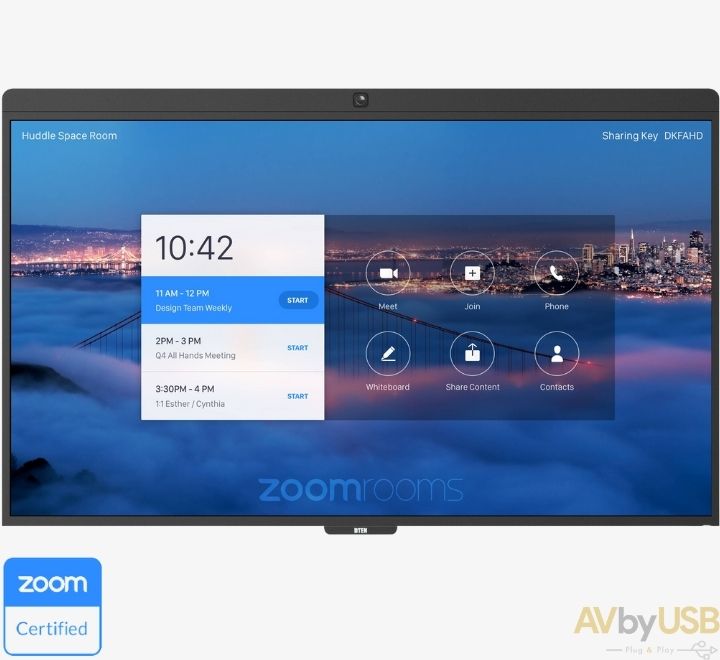
 Barco Clickshare CX20 with Poly Studio